What's New / Release Notes!

July 9th Rollup of Changes

This release coincided with Google Cloud Summit in London, and this blog post summarizes the major announcements from this event.


:sparkles: Feature Updates

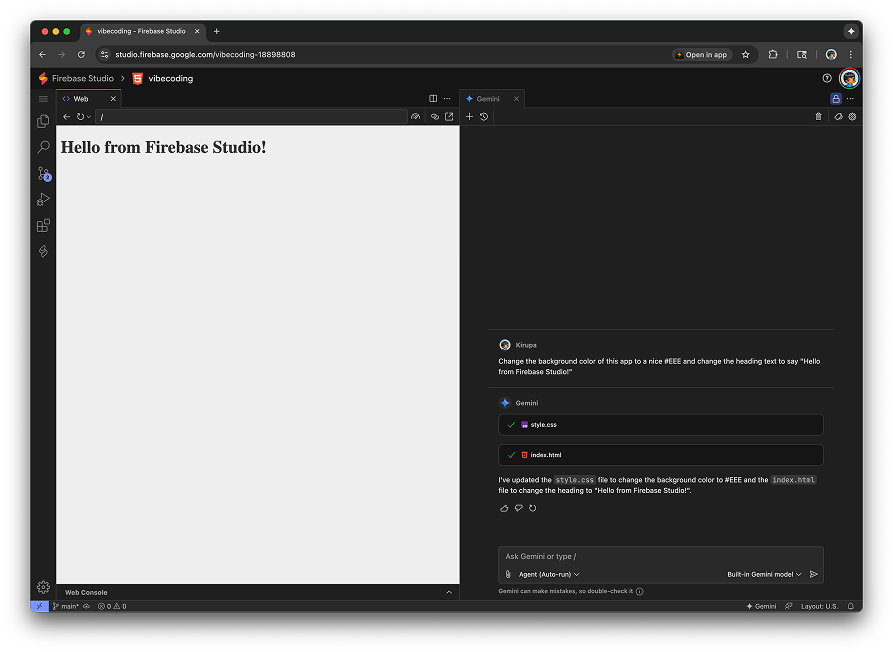
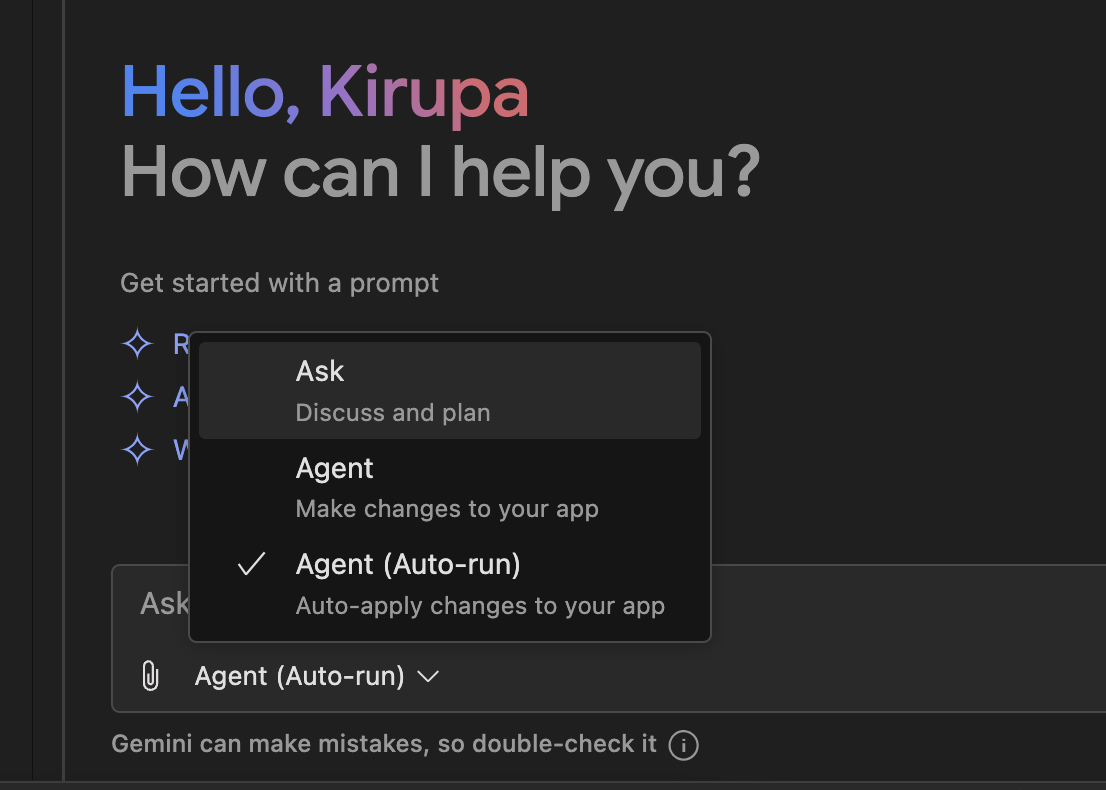
Interactive Chat Supports Auto-run Mode

You can now ask Gemini to make changes on your behalf without requiring you to manually approve each change.

See the Commit Timestamp for Changes

App edits in prototyper display the commit timestamp alongside file change summaries in the UI, providing more context on when changes were made:

Gemini CLI is Preinstalled

All of Gemini CLI’s capabilities can now be used directly from inside Firebase Studio:

:bug: Bug Fixes

:robot: Improved Error Handling when loading the AI context
We added logic to handle potential errors when loading the AI history. This also ensures we set the agent state to ‘edit-app’ if an existing blueprint is detected to avoid clearing your previous chat history.

:framed_picture: Fixed Bug where Image Upload was Ignored
We fixed a bug where, when a user uploads an image during initial blueprint generation, that image would be ignored

:wrench: Fixed Wrong URL for Release Notes
We corrected the URL for the “Full Release Notes” link in the main Firebase Studio panel.

6 Likes

Gemini CLI works great!

It’s working better than the prototyper in specific situations, such as diagnosing tests.

This is the experience I was hoping for, bravo! :clap:

I also appreciate seeing the context stats, during and especially after usage.

Followup Experience:

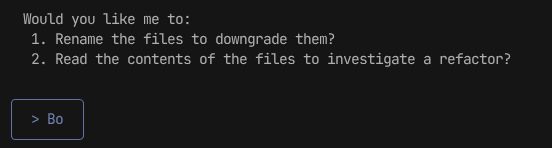
  • Sometimes I can hit enter too quick before the terminal has ‘registered’ my input, leading Gemini to not see my full request, eg. “Both”
  • It’s not as easy to edit text in the terminal, there is no cut, no click to set insertion point or cursor.
  • When re-adjusting the Terminal window size, which I often do, the Gemini text will fly across the screen and the terminal becomes unstable for up to 10 seconds.

Uh-oh!

Any chance this introduced a bug where the AI response in chat prototyper mode ends prematurely when " ’ " is used like this:

  1. File Editing (This is automatic, my job): When I provide a `

Unfortunately I’ve experienced this bug for about a week now.

Looks like changes using the prototyper don’t show the version number any more and can’t be subsequently restored. Maybe this is because we’re using a separate branch from master.

Hey @kirupa ,
Can you clarify? Is Firebase Studio built on top of Gemini CLI? Just curious.

Been running into this error with Gemini CLI lately:

image

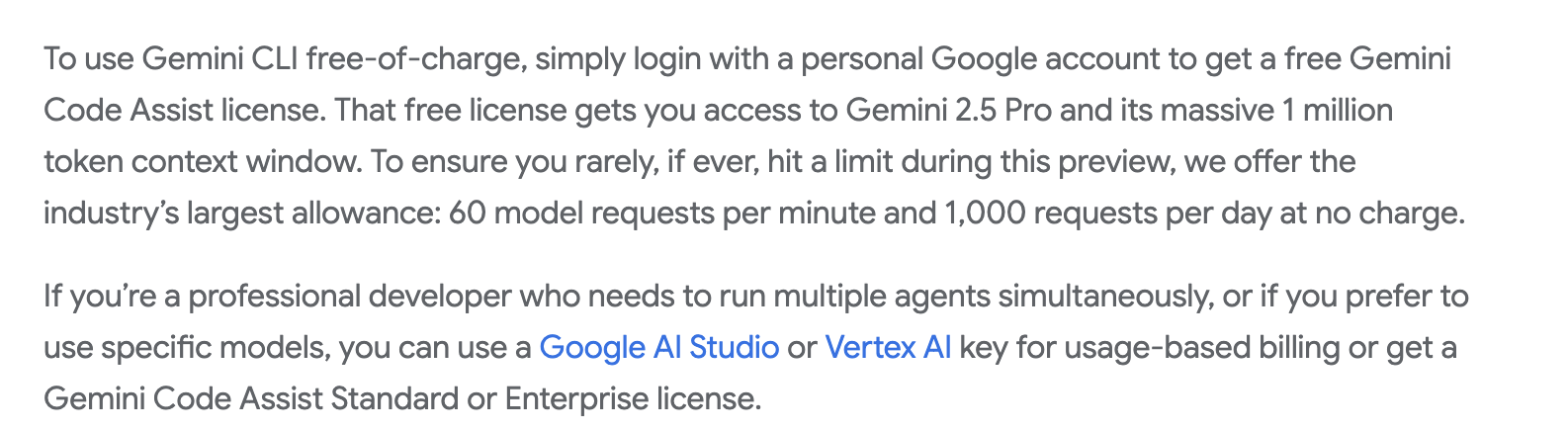
Just a heads up for anyone who was unaware (like me), Gemini CLI is not free. It will charge you for your API key usage. Ask me how I know:

A disclaimer would be appreciated, as well as an integrated cost tracker.

Gemini CLI is free when you user your personal account. If you log into Gemini CLI using any other method (Vertex AI or Gemini API Key) it will charge you.

I do agree that this could be better explained in the documentation as it is a source of confusion and can easily be missed.

1 Like

My move fast and break things mentality racked me up a pretty penny bill :melting_face:

Great documentation, thanks for sharing.

1 Like

July 24th Rollup of Changes


:sparkles: Feature Updates

:robot: AI-Optimized Template Mode

Enjoy a more streamlined, AI-focused experience with our new AI-optimized mode! This view arranges the Gemini and App Preview panels side-by-side, defaults to auto-apply, and hides the file explorer for maximum focus:

This is now the default experience for Flutter, Angular, NextJS, React, and Simple HTML projects.

:gear: AI-Powered Workspace Templates

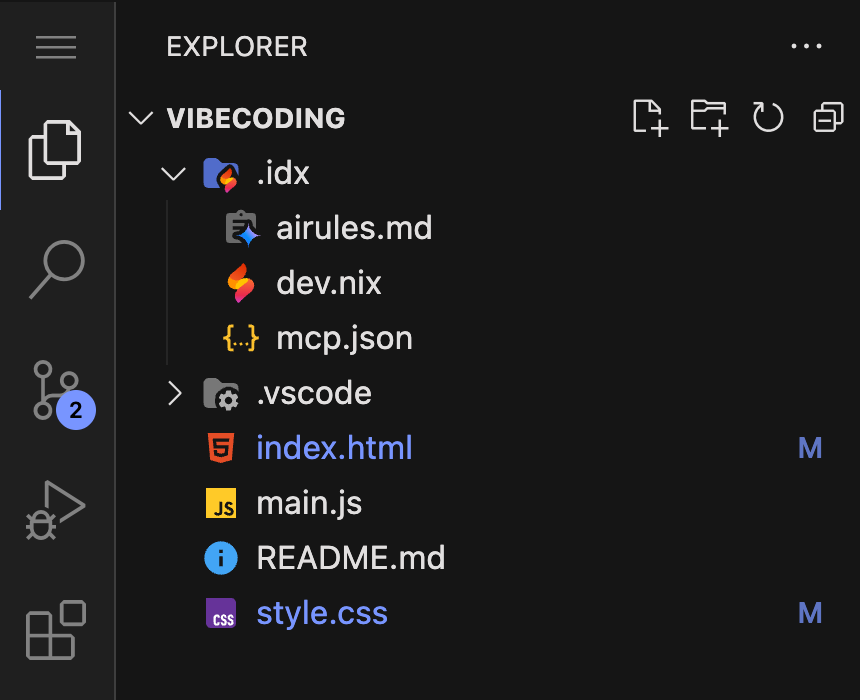
We’ve integrated many of our templates with a foundational set of AI rules, allowing Gemini to better understand your project’s structure and provide more tailored assistance right from the start:

In our upcoming releases, we will ensure almost all templates have tailored airules and mcp entries.

:fire: On-Demand Firebase Integration

You can now add and configure a Firebase project directly within the Studio prototyper. No more switching contexts—simply add Firebase whenever you need it and keep your development workflow moving.

:clapper_board: Veo Video Generation Comes to Studio

Gemini’s internal knowledge has been upgraded with comprehensive documentation for the Veo 2.0 model. You can now get expert assistance in generating high-quality videos from text and images directly within your workspace.

:fork_and_knife: Fork Your Workspace

You can now fork an entire workspace to create a complete, point-in-time copy:

This feature duplicates everything, including your code, configuration, and even the Gemini chat history, making it perfect for experimenting with new ideas without altering your original project.

:paperclip: Reference Files with “@” in Prompts

Interacting with Gemini is now faster and more intuitive. Simply type @ in the chat to instantly search for and reference specific files in your project, helping Gemini understand exactly what file you’re talking about:

:bug: Bug Fixes

:ladder: Fixed AI Rules Loading:
We resolved an issue in several project templates where AI rule files (GEMINI.md) were not being recognized due to incorrect capitalization. This ensures Gemini can now correctly load its instructions and provide better assistance in those templates.

:hammer_and_wrench: Eleventy Template Fix:
We’ve corrected a configuration issue in the Eleventy template, ensuring it runs smoothly right from the start.

:snake: Django Template Update:
A pathing issue within the Django template has been resolved, preventing potential errors and streamlining project setup.

:desktop_computer: Improved CLI for Headless Environments:
The gemini-cli has been updated to run more smoothly in environments without a graphical user interface. It will no longer try to open a browser for authentication, improving the experience for automated and server-side use cases.
5 Likes

This is an incredibly comprehensive update. I’m very impressed. Is there any way for us to get the source code for the latest airules.md and mcp.json files so that we can add them to our existing projects?

I’m really excited about the use of the @ symbol by the way. It’ll help focus the context of the discussion for more precise model-code updates.

And the Veo Video Generation :clapper_board: feature will be a banger!

Well done!

:clap:

1 Like

Hi @A_T - are you still experiencing this issue? We rolled out a fix to address a series of bugs related to special characters.

2 Likes

Thanks! I have not experienced the issue recently!

On another note, I do notice that the AI makes code changes that are incomplete/ not committed. A request needs to be made for the AI to start over/ complete the code change. Hope this helps.

Awesome, excited to try out the templates now. Question, is the Gemini.md file a starter file, equivalent to the Blueprint.md and the user can edit it for their own preferences; or is it supposed to act as a communication file to tell the user information about how Gemini is going to behave and you can’t change that.

Thanks, the problem has been resolved

please kirupa when android studio cloud get back!

yeah this big service disruption kinda sucks!

Hello A_T I have experienced this same issue with the prototype Agent not being able to get the code to complete, usually .tx or .tsx but .md files is not effected. I usually ask the agent to try again but most times we have the same issue, sometime we can continue work on another tab or page for awhile before this workspace issue happens there also. I ask the agent to update or history.md to keep track of where we are at, I have tried Forking the project but this works for a short time, then the problem reappears. The best solution so far is to create a new base project - hello world, and copy files over, this is more work but does seem to help, but eventually the issue happens again, I have also split the project up into two projects but the problem does reoccur after awhile, not sure of anything else to try.

2 Likes

August 11th Rollup of Changes


:sparkles: Feature Updates

:speech_balloon: Gemini Chat

  • Flexible Layout: You can now move the Gemini Chat from an editor tab to a side panel via the IDX.aI.showChatInEditorTab setting, making it easier to arrange your workspace.

  • Modern Chat History: The chat history UI has been redesigned for a cleaner, more readable look.

  • Seamless Sync: Chat history is now shared between prototyping and coding modes.

  • Smarter @ Mentions: You can now attach entire folders in a chat prompt using @ mentions, letting the AI see the context of all files in a directory.

:hammer_and_wrench: App Prototyping Agent

  • Visual Feedback Made Easy: You can draw directly on your app’s preview and attach your sketch to a prompt for faster UI refinements.

  • Streamlined Firebase Setup: The Firebase setup UI is now a clear multi-step process with expandable sections for better visibility.

  • Better Project Creation: When creating new Firebase projects, you can now select a Google Cloud organization folder.

:gear: Quick MCP Server Setup

Added a command to easily add Firebase and other custom MCP (Model Context Protocol) servers to your mcp.json config file.

gif_improvements

:bug: Bug Fixes

:speech_balloon: Fixed an issue where chat thread updates from the prototyping mode could incorrectly affect other chat sessions.

:shield: Corrected a bug that could cause a crash if the Prototyper chat history file was not found in a non-prototyping workspace.

:globe_with_meridians: Resolved an error when attempting to change the workspace folder to a location that is non-existent or not owned by the user

:card_index_dividers: The File Icon component now correctly displays a folder icon for directories.

:hammer_and_wrench: Updated the context engine’s ignore list to exclude .venv directories.

2 Likes